
PDF Portfolio basics with Acrobat X
By Kurt Foss – April 19, 2011
In this tutorial, learn the basics of creating a PDF Portfolio in Acrobat X Pro or Acrobat X Suite in this sample chapter from Adobe Acrobat X Classroom in a Book, published by Peachpit Press.
PDF Portfolio basics with Acrobat X
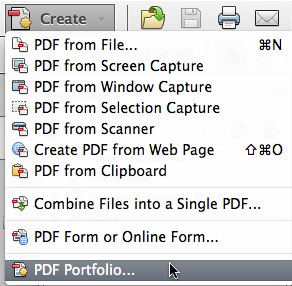 This sample chapter is excerpted from the Adobe Acrobat X Classroom in a Book (CIB), written by the Adobe Creative Team and published by Peachpit Press. The lesson in chapter seven explains and illustrates how to combine assorted files into a PDF Portfolio.
Peachpit has published a seven-part article based on this chapter, covering sub-topics including:
- Quickly and easily combine files of different types into one PDF Portfolio (Acrobat Pro only)
- Customize the look and feel of a PDF Portfolio
- Share a PDF Portfolio
- Search a PDF Portfolio
- Modify an existing PDF Portfolio
- Combine files into a single PDF file without creating a PDF Portfolio
The article includes a link to download all of the lesson files [ZIP: 1.3MB] -- several PDFs, a GIF logo, a Microsoft Excel spreadsheet, a Microsoft PowerPoint presentation and a Microsoft Word document -- you will use in following the various steps and procedures described in the CIB. You are guided through the process of selecting the assorted files and file types to be included in the resulting PDF Portfolio, then customizing its appearance with the tools available within Acrobat X.
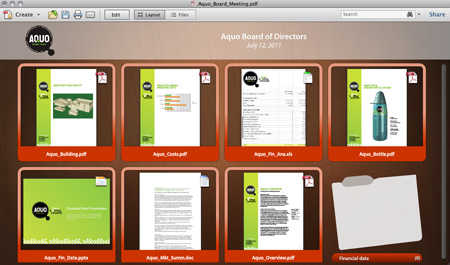
Products: Acrobat X Pro and Acrobat X Suite