Modifying your PDFs Using Drag and Drop to/from Pages Panel

I discovered a neat trick in Acrobat recently that I wanted to share with you. In addition to using the Pages panel to copy/paste/move between open PDF documents, you can also drag and drop a PDF from the desktop (or a folder) into an open PDF, as well as drag and drop from an open PDF to the desktop to create a new PDF document.
This tip is also available as a video.
Watch [SWF: 0:33 Sec]
Let’s start with adding new pages to an open document. I have an open PDF document and a PDF file on my desktop (Figure 1). I can select the two-page file — PPT for Project.pdf — from my desktop, then drag and drop it onto the Pages panel of the open PDF to automatically add new pages (Figure 2).
|
Figure 1 |
Figure 2 |
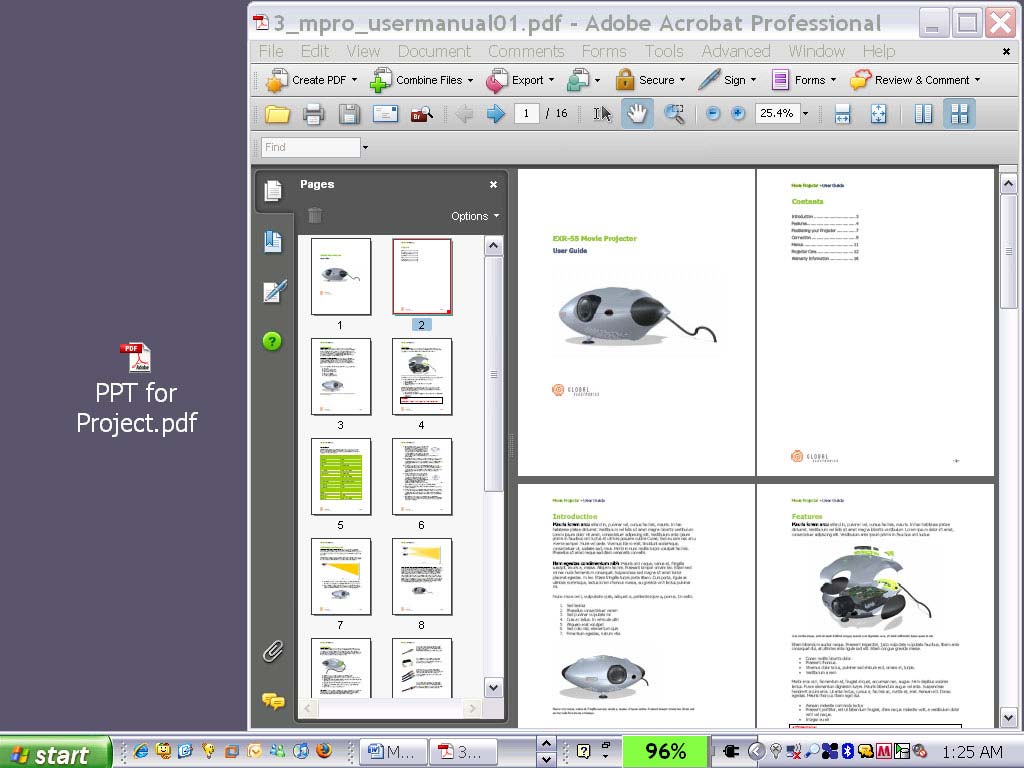
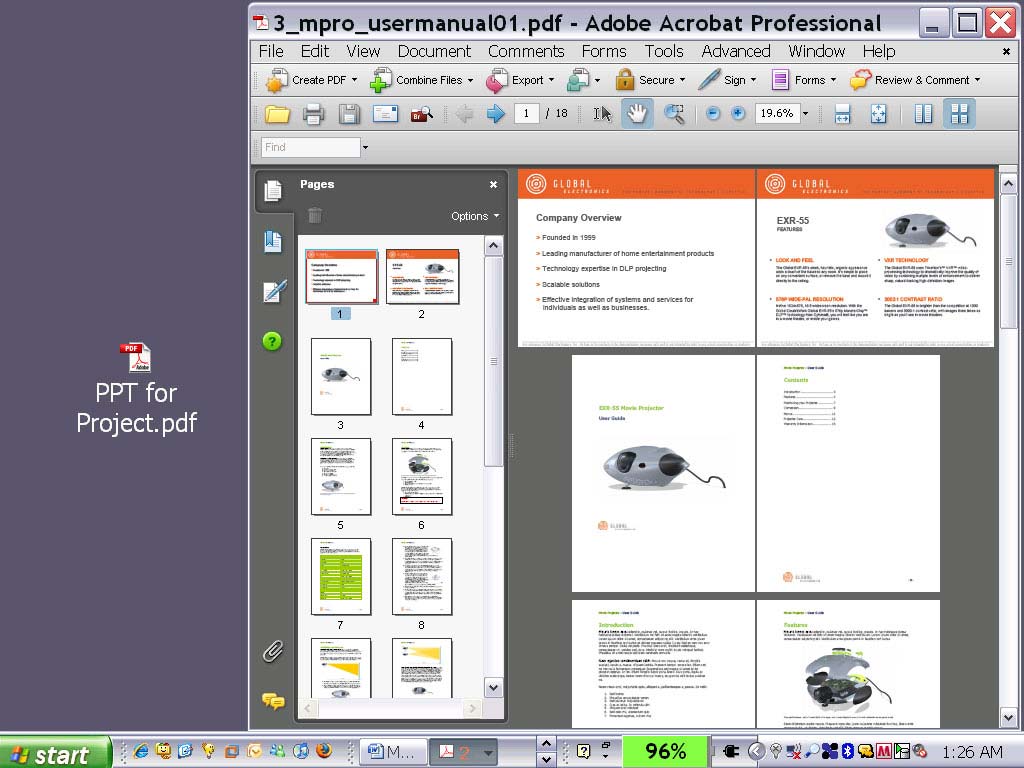
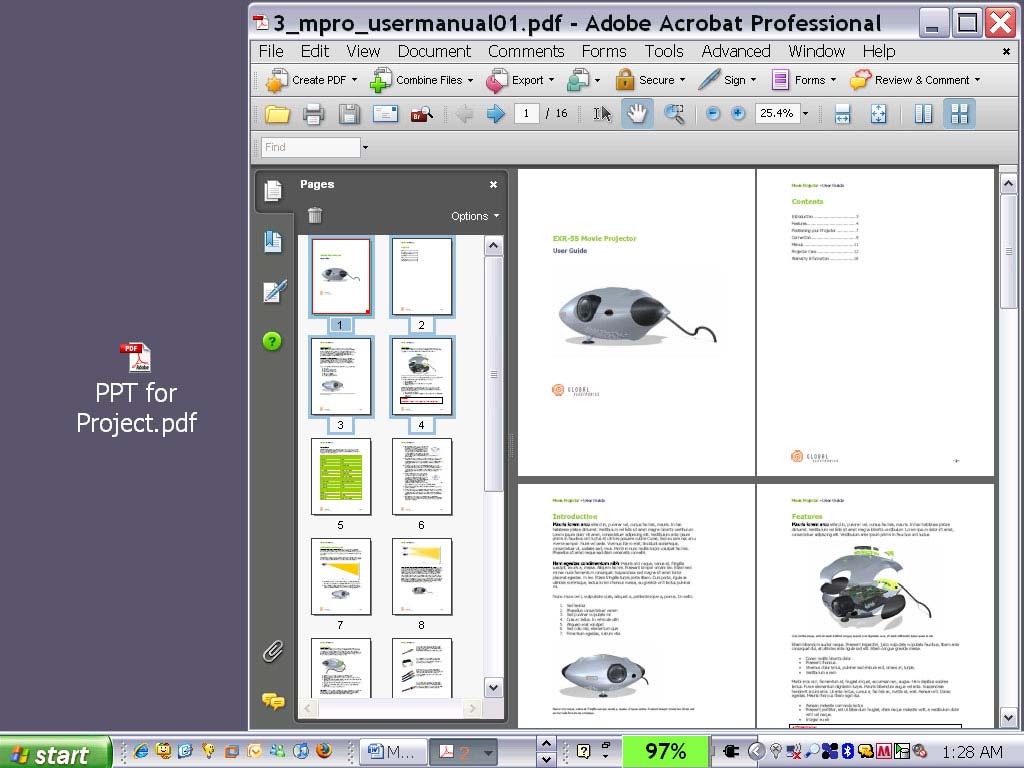
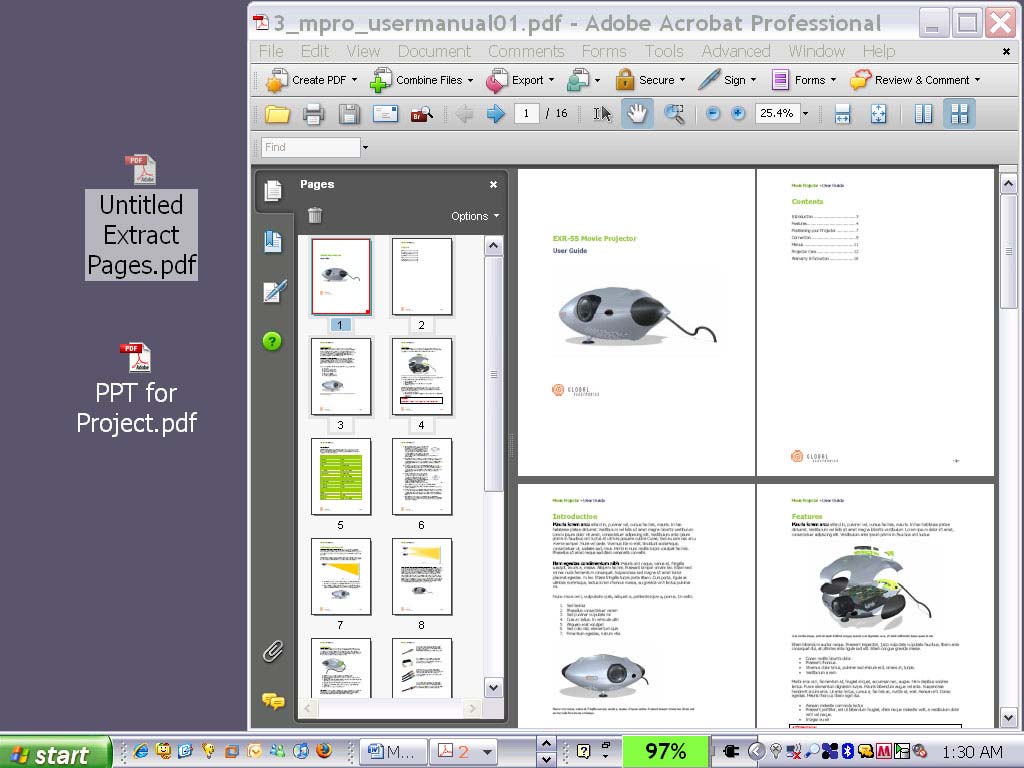
Alternatively, I can select a page or pages from an open PDF (Figure 3) and drag this selection onto the desktop, creating a new PDF from the selection automatically (Figure 4).
|
Figure 3 |
Figure 4 |
Try Acrobat DC
Get started >
Learn how to
edit PDF.
Ask the Community

Post, discuss and be part of the Acrobat community.
Join now >
1 comment
Comments for this tutorial are now closed.
Retha
5, 2013-07-11 11, 2013Good way of explaining, and pleasant article to take information regarding my presentation subject, which i am going to convey in institution of higher education.
Comments for this tutorial are now closed.